Jira
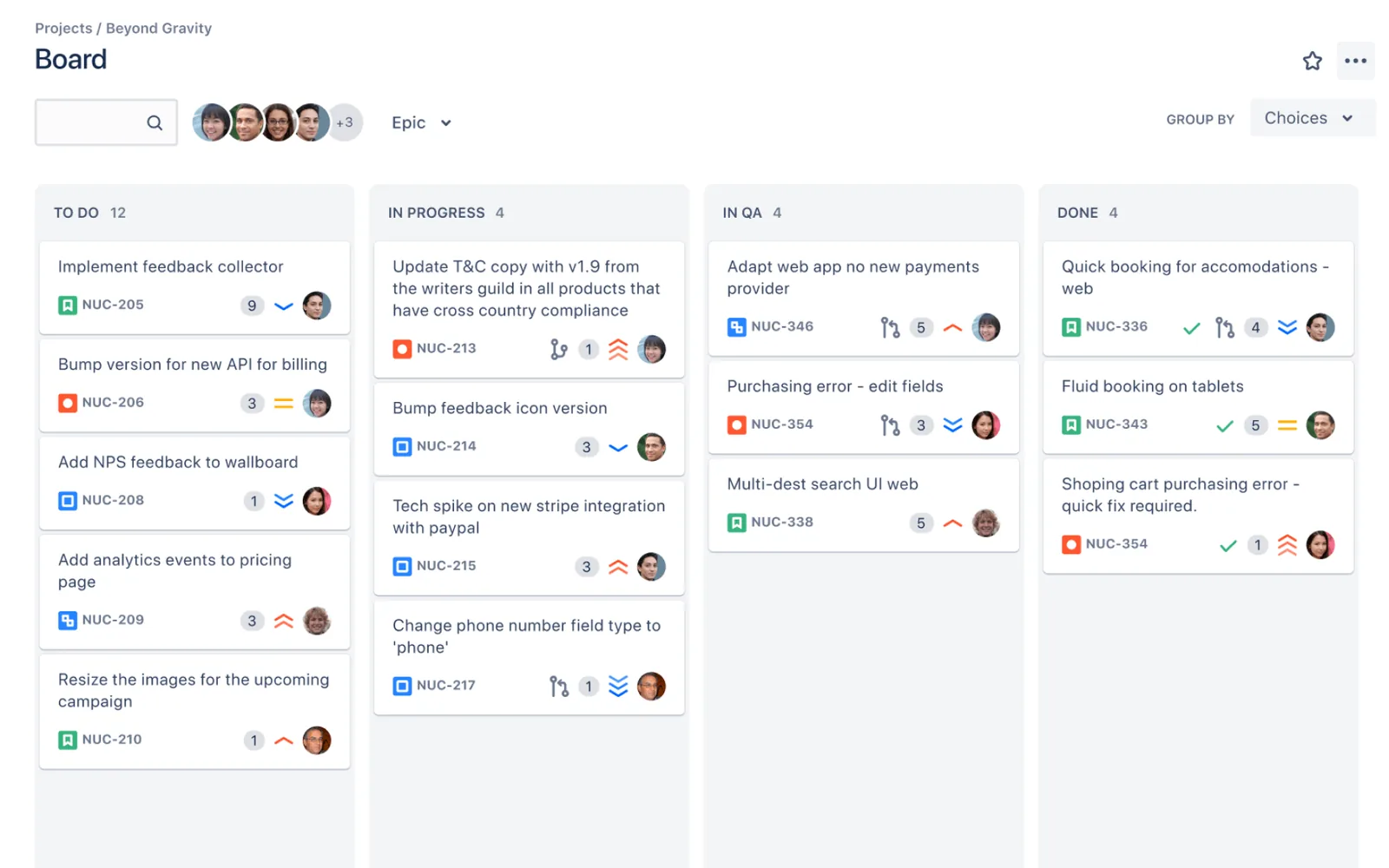
The deepest kanban feature set in this list, and most of it is on the free plan: WIP limits, swimlanes, cumulative flow and control charts for up to 10 users. The price is complexity. Reviewers, especially non-technical ones, often find it heavy to configure and slow on big projects.
- Best for
- Software teams that want process controls and built-in reporting
- Free plan
- Up to 10 users, 2 GB storage, 150 automation steps a month. Boards, backlog, timeline and reports included.
- Paid from
- $7.92 per user / month ($950 a year covers up to 10 users; $9.70 a user billed monthly)
- G2
- 4.3 / 5 from 8,084 reviews
- Capterra
- 4.4 / 5 from 15,771 reviews
What works
- WIP limits, swimlanes, cumulative flow and control charts on every plan, including Free.
- The free plan covers 10 users.
- Fine-grained workflows: statuses, transitions, permissions.
- Scrum and kanban boards in one tool, with a large app marketplace.
What doesn’t
- Steep learning curve, especially for non-technical teams.
- Can feel sluggish on large projects.
- SAML SSO is a paid add-on below Enterprise.
- Annual plans are priced in user bands, so the per-user cost depends on team size.
Pricing
| Plan | Annual billing | Monthly billing | What you get |
|---|---|---|---|
| Free | $0 | $0 | Up to 10 users |
| Standard | $950 / yr | $9.70 | Annual price covers up to 10 users ($2,450 a year for 25). 250 GB storage, guest access, 400 automation steps per user a month |
| Premium | $1,950 / yr | $19.60 | Annual price covers up to 10 users ($4,900 a year for 25). Cross-team planning, cross-project dependencies, unlimited storage |
| Enterprise | Contact sales | — | Billed yearly. Atlassian Guard included, multiple sites |
Per user per month in USD unless noted. Checked November 21, 2026 on Jira’s pricing page.
Board features
What reviewers say
Short excerpts, quoted as written. Follow the links for the full reviews.
“Some of the features that stand out to me are Jira's sprint boards and Kanban boards, which make it very easy for tracking work visually.”
“The interface and configuration options can feel overwhelming, especially for non-technical and first-time users.”
Reviewers value how much it can be configured for software work. The recurring complaint is that the same configurability makes it hard to learn.
Sources
- atlassian.com/software/jira/pricing
- breeze.pm/articles/atlassian-pricing-changes-2026
- support.atlassian.com/jira-software-cloud/docs/configure-columns
- support.atlassian.com/jira-software-cloud/docs/view-and-understand-the-cumulat…
- support.atlassian.com/jira-software-cloud/docs/configure-swimlanes
- G2 reviews
- Capterra reviews