monday.com
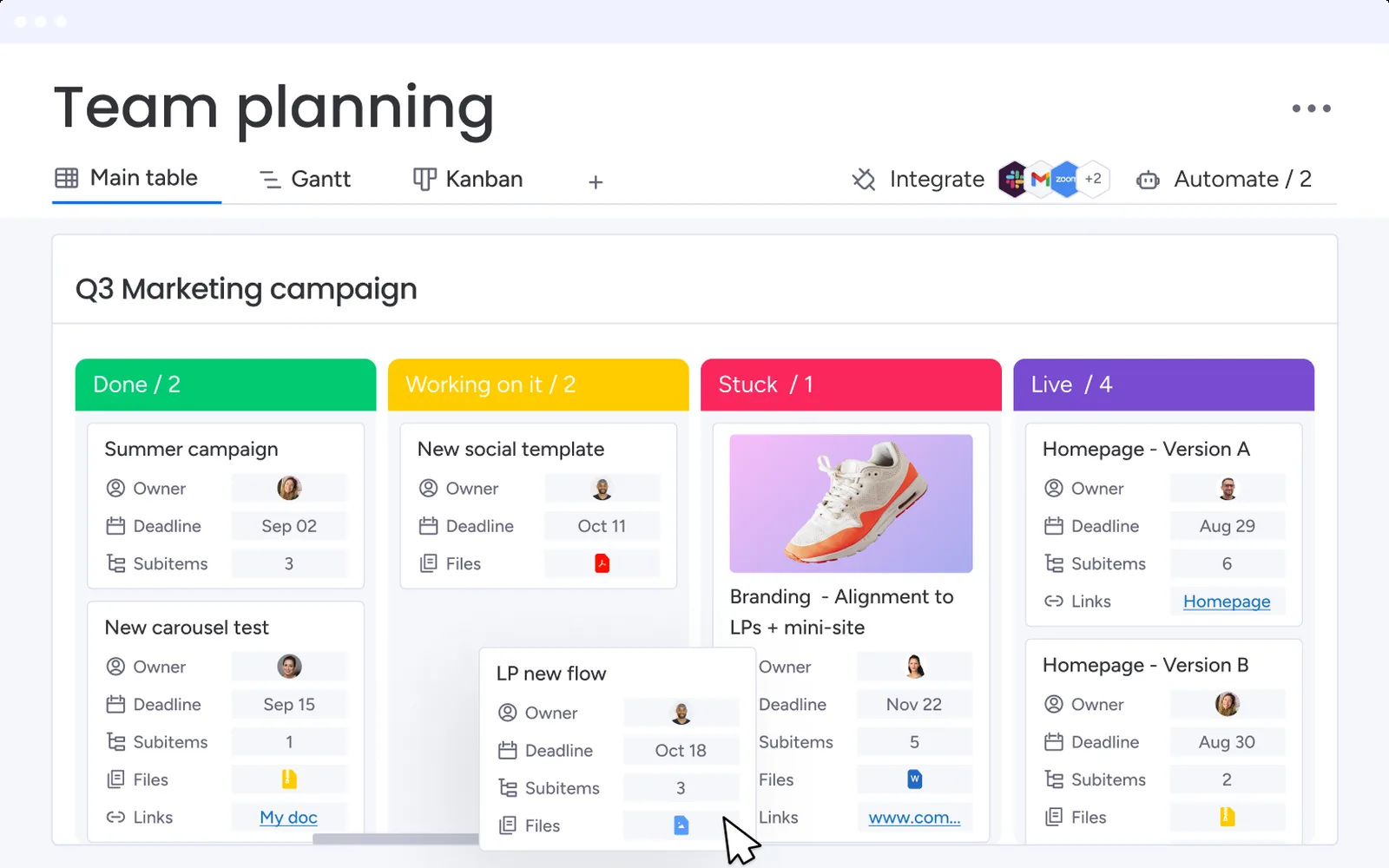
Flexible boards with strong automations and dashboards. The free plan is small (2 seats, 3 boards), paid plans start at 3 seats, and automation and timeline views start at Standard. Dependencies need Pro.
- Best for
- Business teams that want configurable boards, dashboards and automations without code
- Free plan
- Up to 2 seats and 3 boards, 8 column types, kanban view, mobile apps.
- Paid from
- $9 per user / month (minimum 3 seats; $12 billed monthly)
- G2
- 4.7 / 5 from 15,257 reviews
- Capterra
- 4.6 / 5 from 6,073 reviews
What works
- Strong automations and dashboards on the higher plans.
- Column types let one board fit many workflows.
- Kanban view supports column limits.
- Free viewers on paid plans.
What doesn’t
- Paid plans start at 3 seats.
- Automation and timeline need Standard; dependencies need Pro.
- The free plan holds 2 seats and 3 boards.
- Reviewers say costs climb because key features sit on higher tiers.
Pricing
| Plan | Annual billing | Monthly billing | What you get |
|---|---|---|---|
| Free | $0 | $0 | 2 seats, 3 boards |
| Basic | $9 | $12 | Unlimited items, free viewers. No automation |
| Standard | $12 | $14 | Timeline and Gantt, guests, 250 automation actions a month |
| Pro | $19 | $24 | Private boards, time tracking, dependencies, 25,000 automation actions a month |
| Enterprise | Contact sales | — | SAML SSO, SCIM, higher limits |
Per user per month in USD unless noted. Checked November 21, 2026 on monday.com’s pricing page.
Board features
What reviewers say
Short excerpts, quoted as written. Follow the links for the full reviews.
“Automations are a major efficiency driver—they’ve become significantly more powerful over time and allow me to streamline workflows, reduce manual work, and scale processes across projects and programs.”
“for larger enterprise projects, costs can become high as advanced features are tied to higher plans, making it less cost-efficient as team sizes grow.”
Reviewers single out automations, dashboards and how easily boards adapt. The main complaint is cost as features move up the tiers.
Sources
- monday.com/pricing
- support.monday.com/hc/en-us/articles/115005320209-Available-plan-types-on-W…
- monday.com/blog/updates/how-much-does-monday-com-cost
- support.monday.com/hc/en-us/articles/360000661379-The-Kanban-View
- support.monday.com/hc/en-us/articles/360000460605-SAML-Single-Sign-on
- monday.com/trustcenter/faqs
- G2 reviews
- Capterra reviews